

Create Article
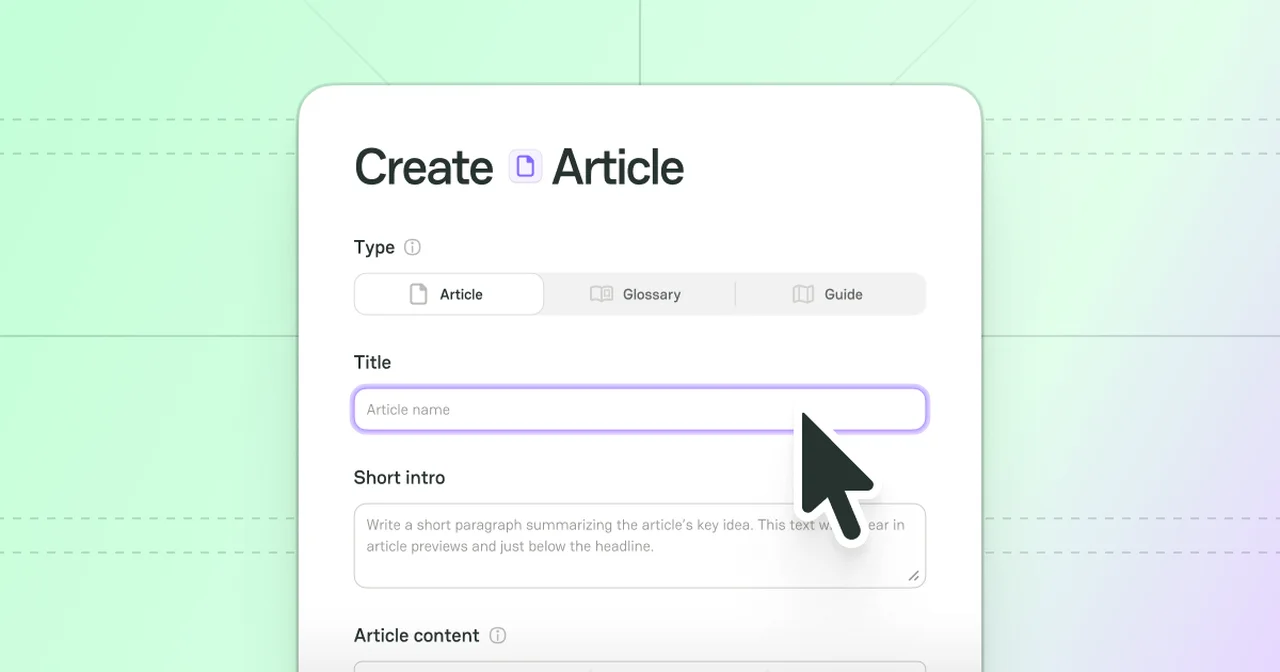
Two ways to initiate creating an Article
1. My Dashboard > My Journal
-
Place the cursor on the User icon in the top right corner of the main page.
-
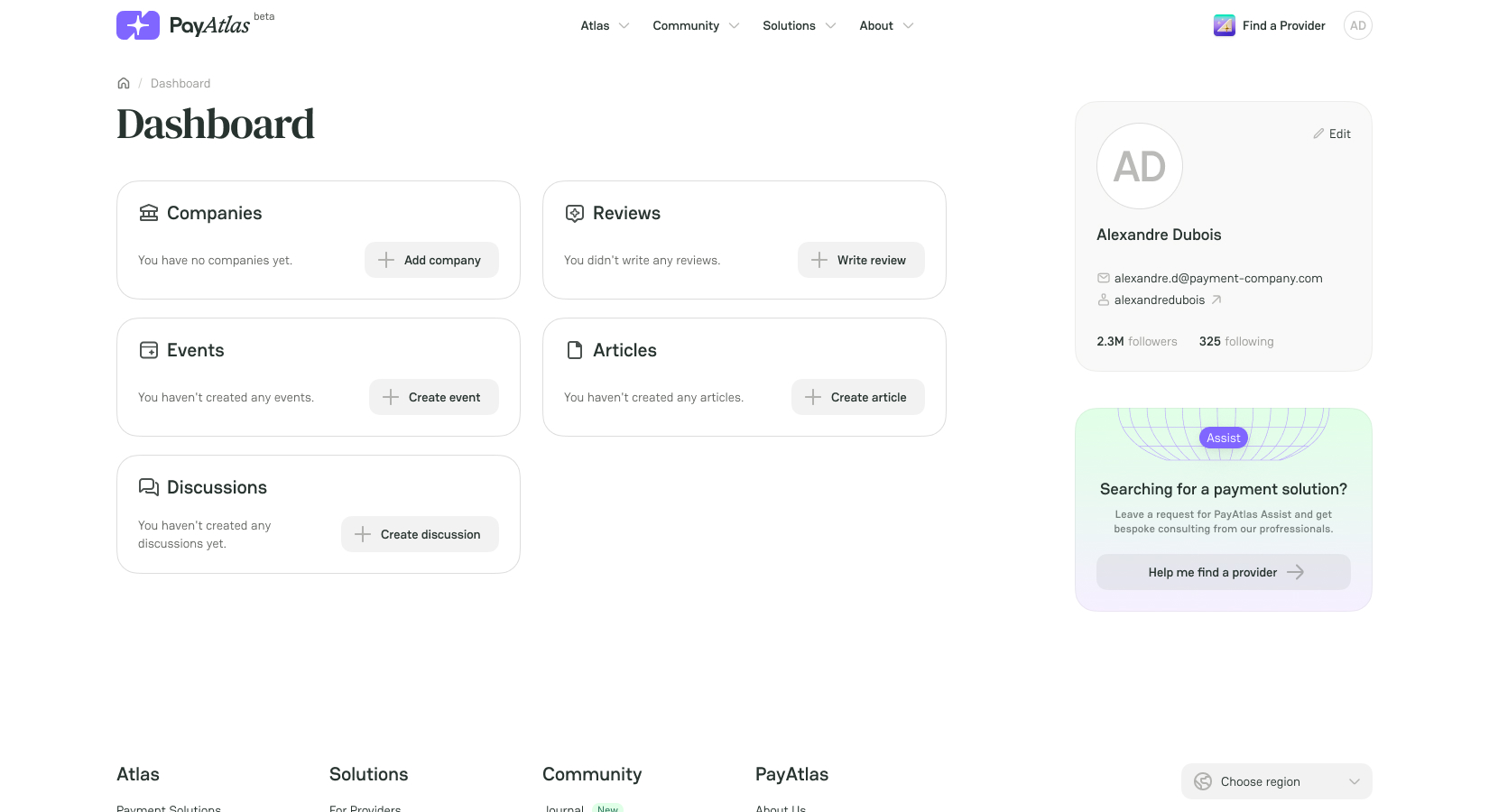
Click My Dashboard. The system redirects you to the respective page.
-
If you haven’t created any Articles before, click Create Article right on the Dashboard.
-
If you have already created Articles, click the Articles entity itself, and the system should redirect you to the My Journal overview.
-
Click Create on the top right corner of the My Journal page.
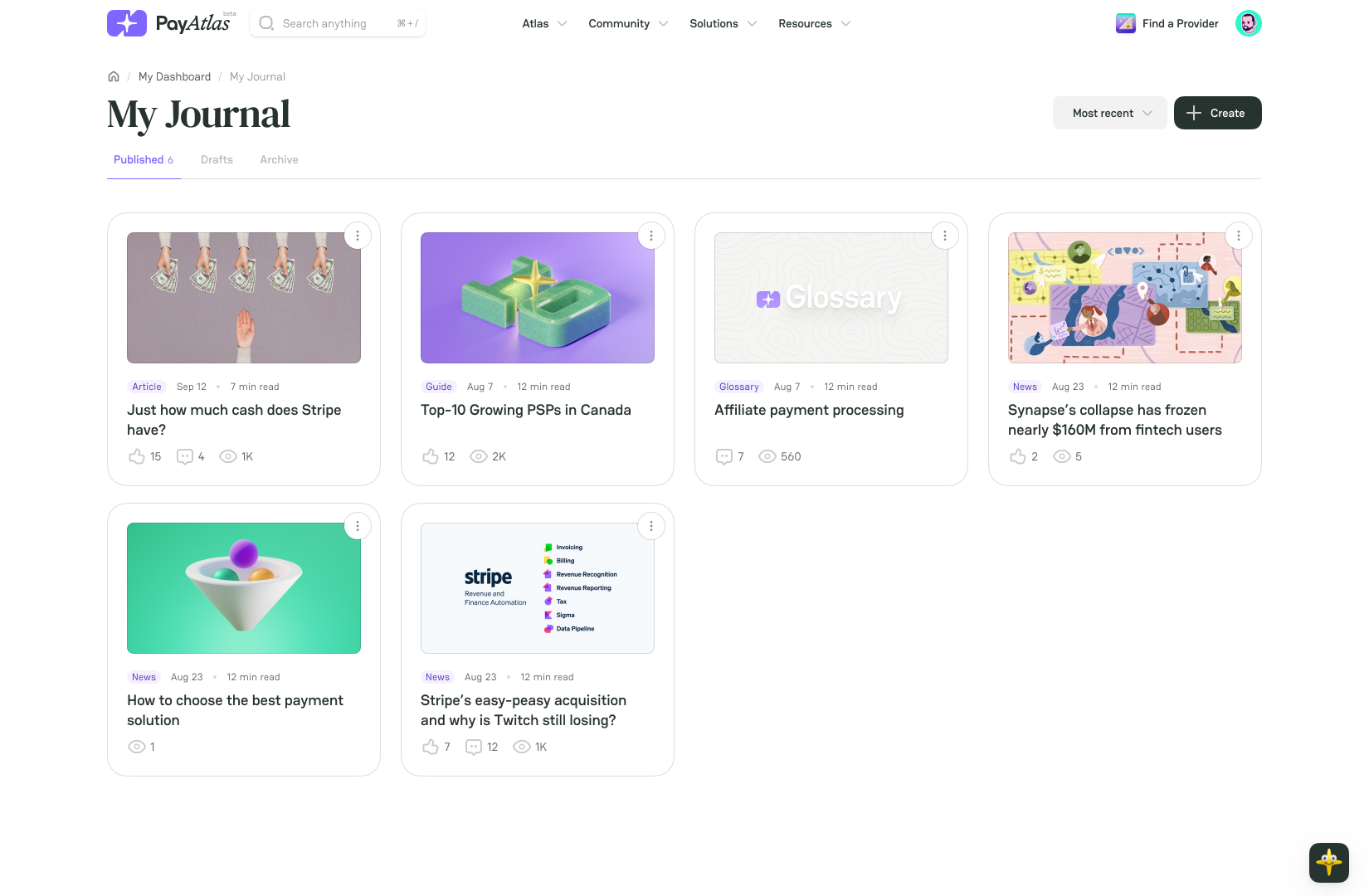
- Then, the system initiates opening the Create Article form to fill in.
2. Community > Journal
-
Navigate to the top bar menu and place the cursor on the Community tab.
-
Click the Journal option in the hover dropdown menu. The system redirects you to the respective page.
-
Click Create article in the top right corner of the page.
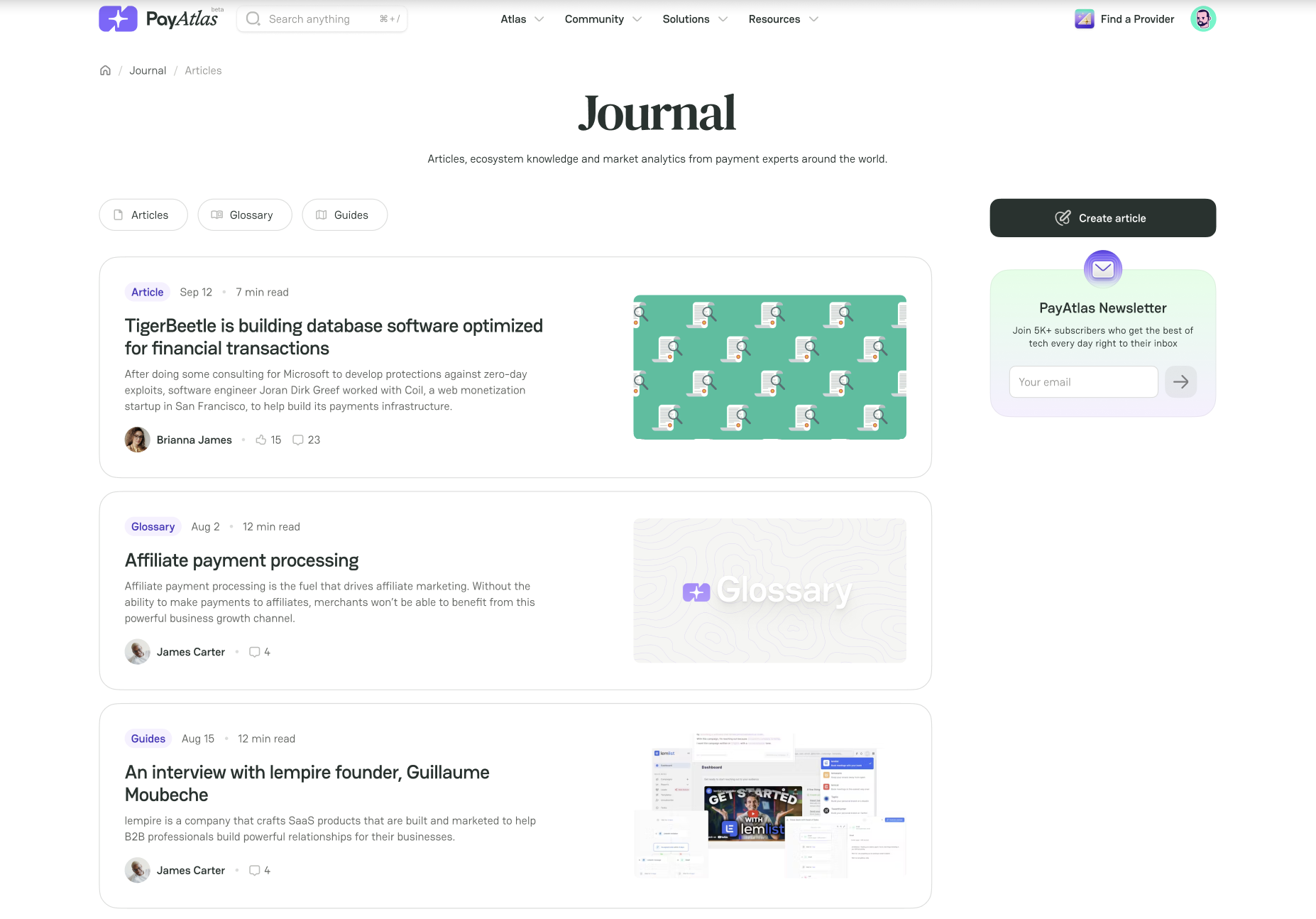
- It initiates opening the Create Article form to fill in.
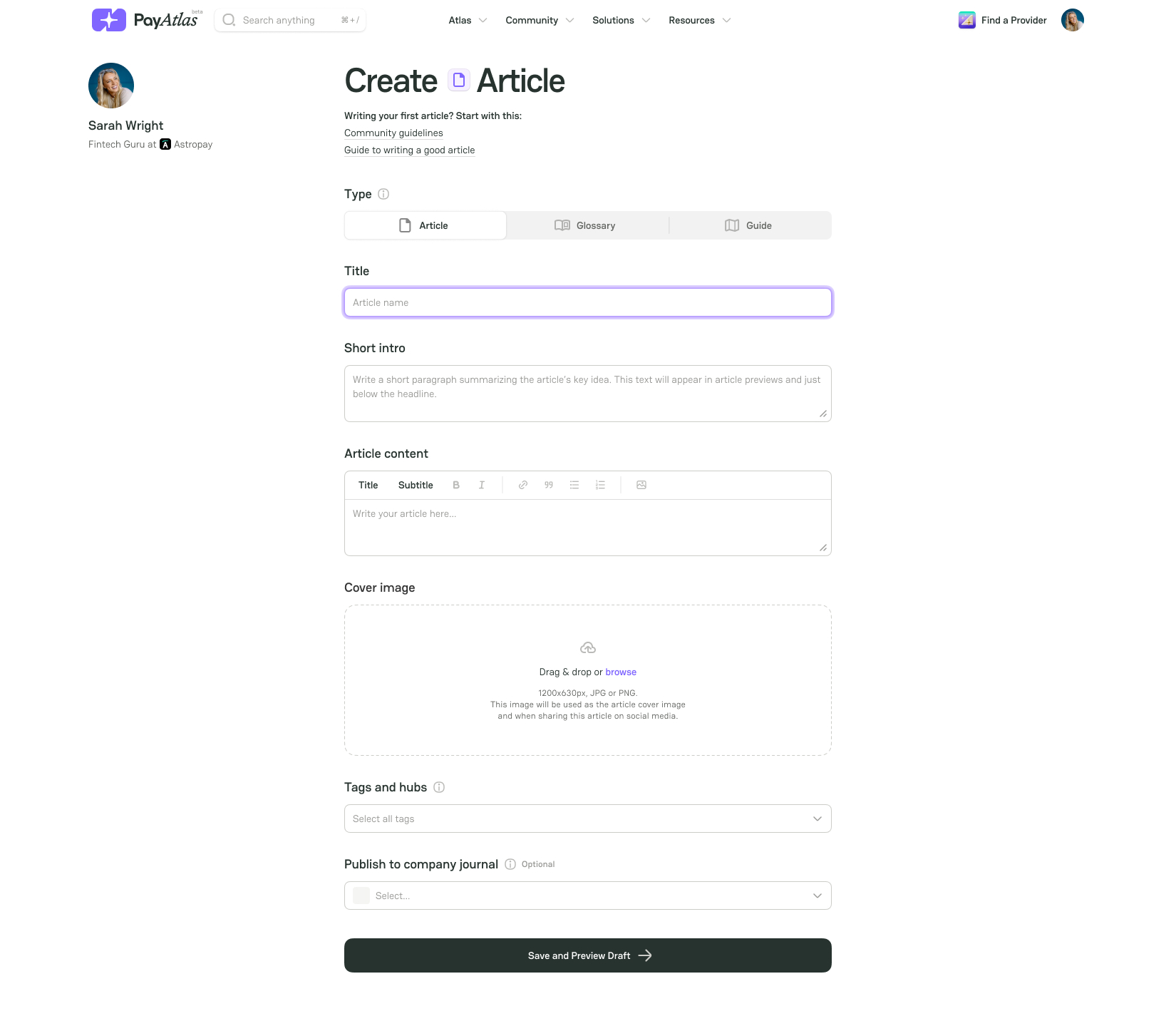
Fill in the Create Article form
Choose content Type:
| Content Type | Description |
|---|---|
| Article | A type of content designed to educate, inform, and engage users with insights into the fintech industry. It encompasses posts, case studies, and interviews. |
| Glossary | A clear, concise definition of a fintech-related term. (e.g. Payment method, Card network) |
| Guide | A structured, practical piece of content designed to help users understand fintech concepts and achieve specific goals. |
- Insert the Title and Short intro into the respective text fields.
Short intro is a block of information that summarises your Article. It is located right below the headline and in the Article previews in the Journal.
- Fill in the content block with your text. Use the editing options as needed:
-
Title, Subtitle;
-
Bold, Italic text formatting;
-
Link;
-
Quotation;
-
Numbered, Bulleted list.
-
To add a Cover image, drag and drop it to the corresponding field or click Browse. The uploaded image should be in JPG or PNG format, with a minimum resolution of 1280 x 720 pixels and a maximum file size of 1 MB.
-
To add Tags, select the needed options in a respective combo box.
Tags are the specific labels that categorise the Articles, combine them by topic, industry or region and place them in related hubs accordingly.
- If you are a Company Expert and want to write an Article on its behalf, click the Publish to Company Journal combo box and select the needed option.
Be aware if you are not a Member of any Company, you cannot publish your Article in a Company Journal. In this case, do the following steps:
-
Ask your teammates to send you an invite to an existing Company.
-
Create a new Company on our platform.
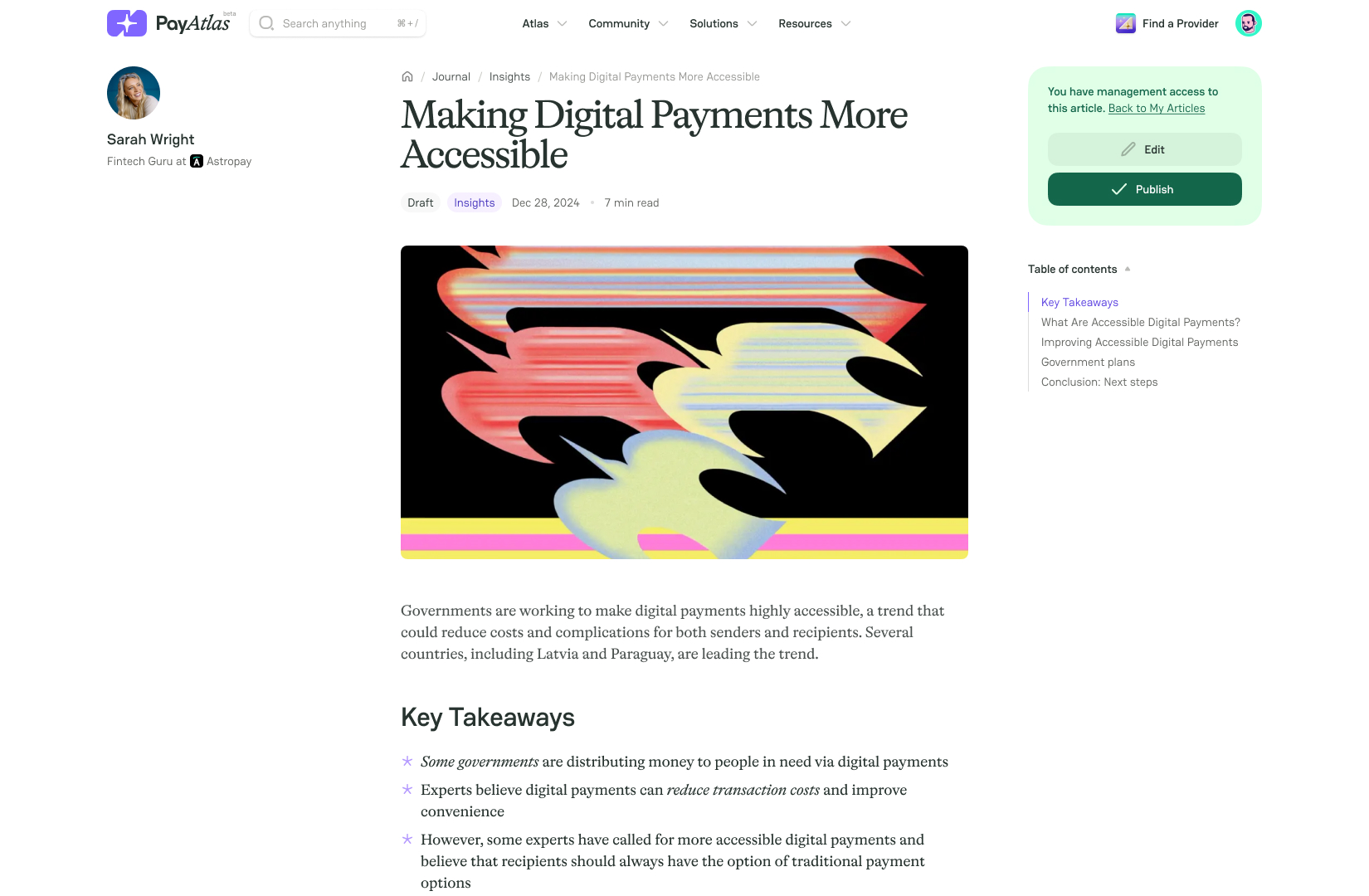
- After you finish creating an Article, click Save and Preview Draft. After that, you can preview the live version of your Article.
-
If everything is as intended, click Publish.
-
If you need to make changes, click Edit. After editing the necessary details, click Save and Preview Draft.
-
After saving the revised version of your Article, click Publish.



Comments