PayAtlas Events are designed to help you stay informed about the most relevant industry gatherings, from major fintech conferences to webinars. Our platform offers the possibility to publish, manage, and fully explore the Events functionality.
What is an Event?
Events at PayAtlas are a comprehensive listing of industry-related gatherings, including conferences, webinars, or meetups. The Events are relevant to the fintech, payments, or business development communities.
Each Event page includes key information, namely date, location (or link, if online), description, and organisers.
Why create Events at PayAtlas?
There are a bunch of opportunities that come with Events:
Smooth user experience in creating Events: Fill in the Create Event form and add your Event to our platform.
Increased engagement & visibility: Drive communication and encourage participation by promoting your Events on the platform.
New connections with the right people: Reach decision-makers, industry experts, and potential partners or clients directly.
Linking with Company Profile: Associate the Event with your Company to strengthen brand exposure and credibility.
Before & After you create an Event at PayAtlas
Before
After
1. Define the Event details.
1. Promote the Event via our platform and share it on your socials.
2. Prepare the visuals.
2. Edit details of your Event if anything changes.
3. Set the purpose and type of your upcoming Event.
3. Consider publishing a recap Article after the Event is held.
Events VS My Events
PayAtlas provides two key spaces to interact with Events:
1. Events
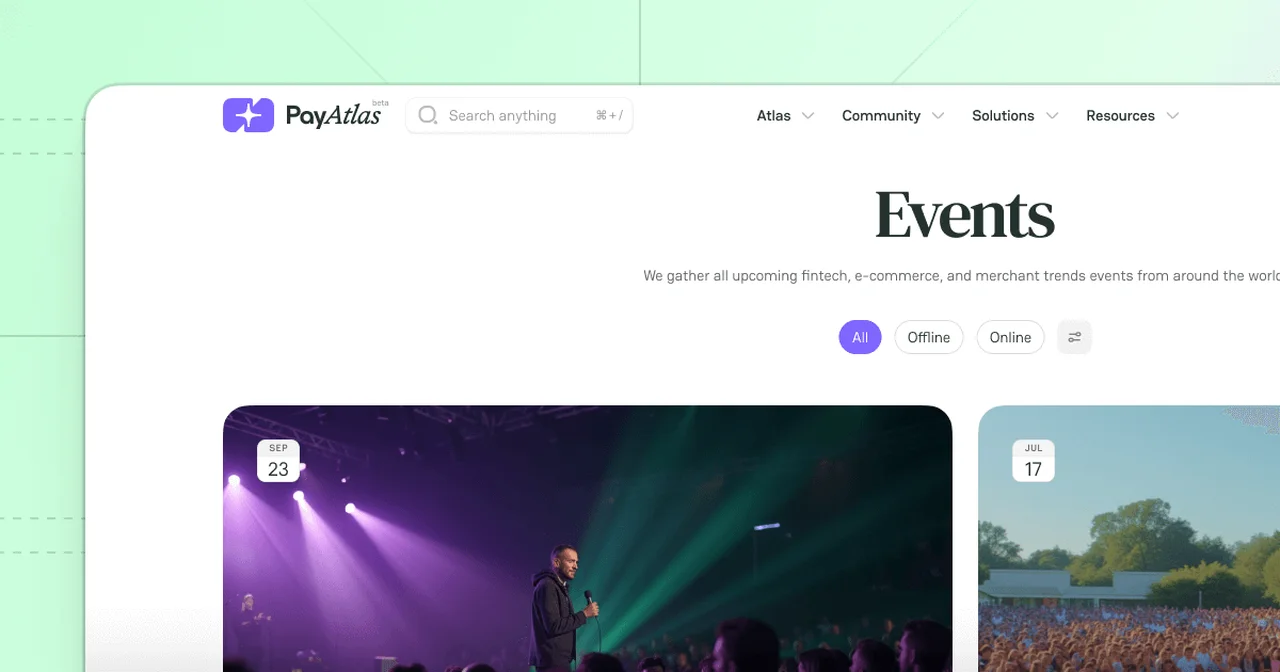
Events is the global section where you can browse and explore all public Events created at PayAtlas. They are accessible to all platform users to discover and attend important meetups. The functionality helps different audiences to stay in tune with industry trends and get valuable insights.
All Event entries are subdivided into All, In person, Online, and Archive. Use a top bar menu to switch between the given types of gatherings.
Select a specific Event and click its entity to read the details.
2. My Events
My Events is your personal workspace for managing all your Events, including Published, in Draft, or Archived.
Management options include Editing, Archiving, Deleting and Restoring any entry in My Events. To learn more, go to the Manage Events guide.
Cookies enable us to store your preferences and give you a personalized website experience.
We also use cookies for analytics and targeted marketing.
We respect your right to privacy, so you can choose not to allow some types of cookies.
Read our Cookies Policy to learn more.
Necessary Required
These cookies are crucial for the website to perform its main functions and associated services. Simply put: the site can't fully function without them, so disabling them isn't an option.
Marketing
To bring you the most relevant content, we and our advertising partners use marketing cookies. If you choose to disable them, you might see less relevant ads.
Analytics
Analytics cookies provide anonymous insights into how visitors engage with the PayAtlas website, helping us improve user experience and functionality.
Deny
Save My Preferences
PayAtlas
Share your feedback
It goes to our team and shows up on the public board.




Comments