

Attend Events

Register to an Event
-
Navigate to the top bar menu and place the cursor on the Community tab.
-
Click the Events option in the hover dropdown menu. The system redirects you to the respective page.
-
Select a specific Event and click its entity. The system redirects you to the page with the Event details.
-
The Event details include:
- Event description;
- Date, time and location;
- Target industries;
- Event organiser, participants and attendees.
Participant VS Attendee
A Participant is a Company that actively takes part in the Event.
An Attendee is a user who registers for and is present at the Event.
-
To sign up for the given Event, click Register. The system redirects you to the Event organisation page.
-
After successful registration, you can click I will go and become an Attendee.
-
To cancel your participation, click No longer going.

Add Comments
-
To leave a Comment, scroll to the Comments section.
-
Write your Comment in the respective text field. Click Post.
-
To contribute to an existing Comment, click Reply.
-
To mark that an existing Comment helped you in any way, click Helpful.
-
To state that an existing Comment is inappropriate in any way, click Report.
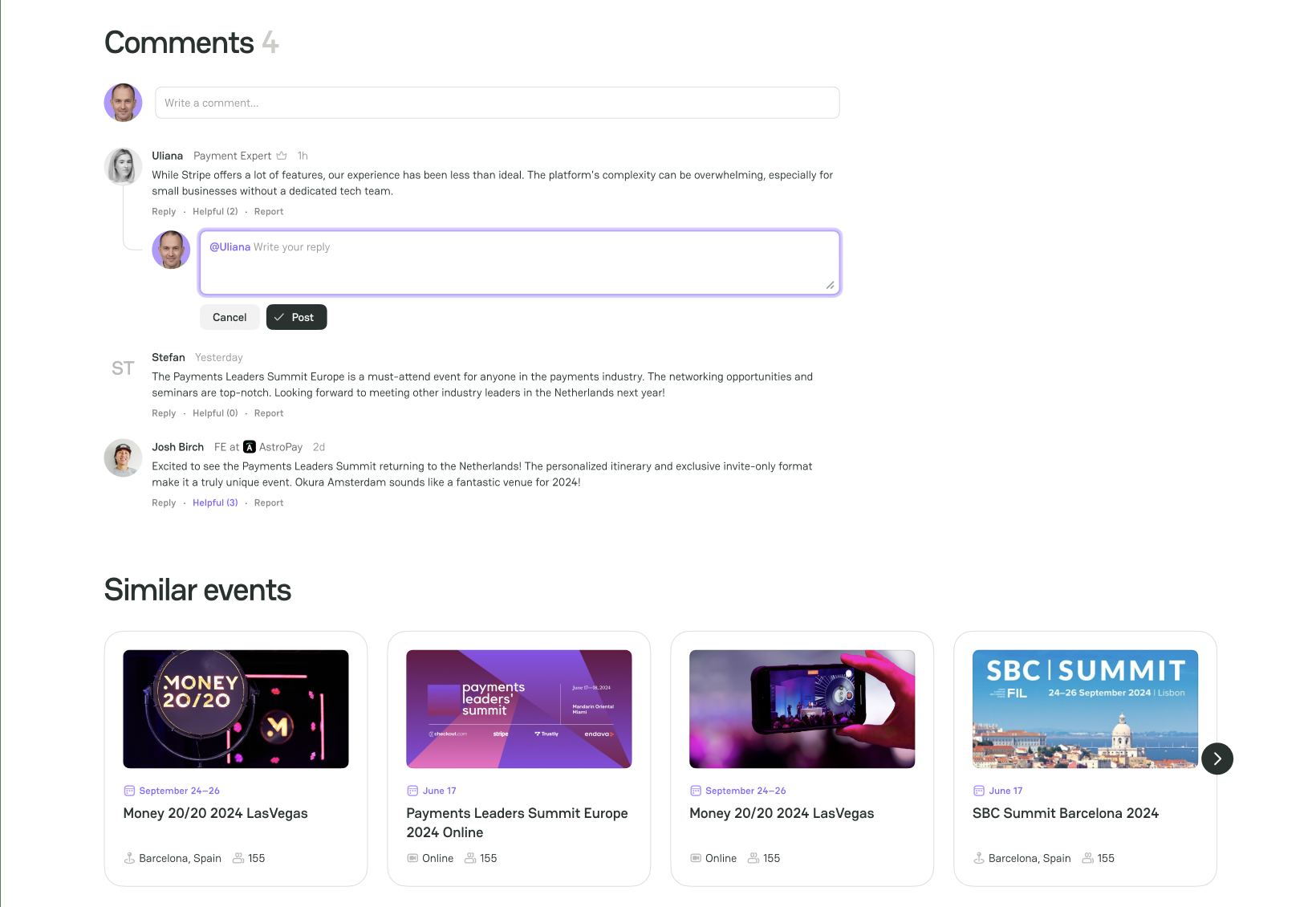



Comments