Firemap

A real-time view of payment provider health across the global payments ecosystem. Learn more about Firemap in the docs Last updated just now

How Firemap works

Number of incidents Incidents timeline

105 peak

105 peak

105 peak

  • Operational
  • Degraded
  • Partial outage
  • Major outage
  • Community report
  1. Operational
    153
    Degraded
    2
    Partial outage
    1
    Major outage
    6
    Community reports
    0
  2. Operational
    151
    Degraded
    5
    Partial outage
    0
    Major outage
    6
    Community reports
    0
  3. Operational
    153
    Degraded
    4
    Partial outage
    0
    Major outage
    5
    Community reports
    0
  4. Operational
    155
    Degraded
    2
    Partial outage
    0
    Major outage
    5
    Community reports
    0
  5. Operational
    153
    Degraded
    3
    Partial outage
    0
    Major outage
    6
    Community reports
    0
  6. Operational
    150
    Degraded
    4
    Partial outage
    0
    Major outage
    8
    Community reports
    0
  7. Operational
    151
    Degraded
    5
    Partial outage
    1
    Major outage
    5
    Community reports
    0
  8. Operational
    143
    Degraded
    9
    Partial outage
    1
    Major outage
    9
    Community reports
    0
  9. Operational
    151
    Degraded
    3
    Partial outage
    3
    Major outage
    5
    Community reports
    0
  10. Operational
    156
    Degraded
    1
    Partial outage
    0
    Major outage
    5
    Community reports
    0
  11. Operational
    154
    Degraded
    1
    Partial outage
    1
    Major outage
    6
    Community reports
    0
  12. Operational
    155
    Degraded
    3
    Partial outage
    0
    Major outage
    4
    Community reports
    0
  13. Operational
    151
    Degraded
    4
    Partial outage
    1
    Major outage
    6
    Community reports
    0
  14. Operational
    151
    Degraded
    3
    Partial outage
    3
    Major outage
    5
    Community reports
    0
  15. Operational
    151
    Degraded
    3
    Partial outage
    3
    Major outage
    5
    Community reports
    0
  16. Operational
    154
    Degraded
    1
    Partial outage
    0
    Major outage
    8
    Community reports
    0
  17. Operational
    155
    Degraded
    2
    Partial outage
    1
    Major outage
    5
    Community reports
    0
  18. Operational
    155
    Degraded
    3
    Partial outage
    0
    Major outage
    5
    Community reports
    0
  19. Operational
    153
    Degraded
    3
    Partial outage
    1
    Major outage
    6
    Community reports
    0
  20. Operational
    153
    Degraded
    3
    Partial outage
    1
    Major outage
    6
    Community reports
    0
  21. Operational
    150
    Degraded
    3
    Partial outage
    1
    Major outage
    9
    Community reports
    0
  22. Operational
    149
    Degraded
    6
    Partial outage
    2
    Major outage
    8
    Community reports
    0
  23. Operational
    153
    Degraded
    4
    Partial outage
    1
    Major outage
    7
    Community reports
    0
  24. Operational
    153
    Degraded
    2
    Partial outage
    1
    Major outage
    9
    Community reports
    0
  25. Operational
    158
    Degraded
    1
    Partial outage
    1
    Major outage
    5
    Community reports
    0
  26. Operational
    157
    Degraded
    2
    Partial outage
    1
    Major outage
    5
    Community reports
    0
  27. Operational
    156
    Degraded
    2
    Partial outage
    1
    Major outage
    6
    Community reports
    0
  28. Operational
    153
    Degraded
    1
    Partial outage
    4
    Major outage
    7
    Community reports
    0
  29. Operational
    150
    Degraded
    5
    Partial outage
    2
    Major outage
    8
    Community reports
    0
  30. Operational
    156
    Degraded
    3
    Partial outage
    1
    Major outage
    5
    Community reports
    0
  31. Operational
    157
    Degraded
    2
    Partial outage
    1
    Major outage
    5
    Community reports
    0
  32. Operational
    159
    Degraded
    1
    Partial outage
    0
    Major outage
    5
    Community reports
    0
  33. Operational
    151
    Degraded
    2
    Partial outage
    3
    Major outage
    9
    Community reports
    0
  34. Operational
    153
    Degraded
    3
    Partial outage
    1
    Major outage
    8
    Community reports
    0
  35. Operational
    155
    Degraded
    1
    Partial outage
    2
    Major outage
    7
    Community reports
    0
  36. Operational
    155
    Degraded
    2
    Partial outage
    2
    Major outage
    6
    Community reports
    0
  37. Operational
    154
    Degraded
    2
    Partial outage
    3
    Major outage
    6
    Community reports
    0
  38. Operational
    158
    Degraded
    1
    Partial outage
    1
    Major outage
    5
    Community reports
    0
  39. Operational
    156
    Degraded
    1
    Partial outage
    0
    Major outage
    8
    Community reports
    0
  40. Operational
    156
    Degraded
    3
    Partial outage
    0
    Major outage
    6
    Community reports
    0
  41. Operational
    153
    Degraded
    3
    Partial outage
    0
    Major outage
    9
    Community reports
    0
  42. Operational
    156
    Degraded
    2
    Partial outage
    2
    Major outage
    5
    Community reports
    0
  43. Operational
    154
    Degraded
    6
    Partial outage
    0
    Major outage
    5
    Community reports
    0
  44. Operational
    155
    Degraded
    11
    Partial outage
    4
    Major outage
    6
    Community reports
    0
  45. Operational
    158
    Degraded
    11
    Partial outage
    2
    Major outage
    7
    Community reports
    0
  46. Operational
    161
    Degraded
    9
    Partial outage
    2
    Major outage
    6
    Community reports
    0
  47. Operational
    170
    Degraded
    18
    Partial outage
    7
    Major outage
    10
    Community reports
    0
  48. Operational
    159
    Degraded
    31
    Partial outage
    6
    Major outage
    9
    Community reports
    0
  49. Operational
    165
    Degraded
    27
    Partial outage
    5
    Major outage
    8
    Community reports
    0
  50. Operational
    156
    Degraded
    38
    Partial outage
    5
    Major outage
    7
    Community reports
    0
  51. Operational
    168
    Degraded
    23
    Partial outage
    10
    Major outage
    11
    Community reports
    0
  52. Operational
    173
    Degraded
    28
    Partial outage
    2
    Major outage
    9
    Community reports
    0
  53. Operational
    177
    Degraded
    25
    Partial outage
    2
    Major outage
    8
    Community reports
    0
  54. Operational
    170
    Degraded
    30
    Partial outage
    5
    Major outage
    9
    Community reports
    0
  55. Operational
    165
    Degraded
    34
    Partial outage
    7
    Major outage
    8
    Community reports
    0
  56. Operational
    166
    Degraded
    32
    Partial outage
    7
    Major outage
    9
    Community reports
    0
  57. Operational
    166
    Degraded
    32
    Partial outage
    5
    Major outage
    11
    Community reports
    0
  58. Operational
    169
    Degraded
    26
    Partial outage
    6
    Major outage
    13
    Community reports
    0
  59. Operational
    173
    Degraded
    27
    Partial outage
    6
    Major outage
    8
    Community reports
    0
  60. Operational
    171
    Degraded
    31
    Partial outage
    5
    Major outage
    7
    Community reports
    0
  61. Operational
    169
    Degraded
    30
    Partial outage
    5
    Major outage
    10
    Community reports
    0
  62. Operational
    159
    Degraded
    33
    Partial outage
    11
    Major outage
    11
    Community reports
    4
  63. Operational
    163
    Degraded
    33
    Partial outage
    6
    Major outage
    12
    Community reports
    0
  64. Operational
    162
    Degraded
    36
    Partial outage
    5
    Major outage
    11
    Community reports
    0
  65. Operational
    168
    Degraded
    31
    Partial outage
    11
    Major outage
    4
    Community reports
    1
  66. Operational
    178
    Degraded
    22
    Partial outage
    10
    Major outage
    4
    Community reports
    2
  67. Operational
    181
    Degraded
    20
    Partial outage
    9
    Major outage
    4
    Community reports
    0
  68. Operational
    176
    Degraded
    24
    Partial outage
    12
    Major outage
    2
    Community reports
    0
  69. Operational
    175
    Degraded
    23
    Partial outage
    14
    Major outage
    2
    Community reports
    0
  70. Operational
    175
    Degraded
    26
    Partial outage
    11
    Major outage
    2
    Community reports
    0
  71. Operational
    174
    Degraded
    25
    Partial outage
    13
    Major outage
    2
    Community reports
    0
  72. Operational
    171
    Degraded
    21
    Partial outage
    15
    Major outage
    2
    Community reports
    0
  73. Operational
    180
    Degraded
    15
    Partial outage
    12
    Major outage
    2
    Community reports
    0
  74. Operational
    179
    Degraded
    17
    Partial outage
    11
    Major outage
    2
    Community reports
    0
  75. Operational
    174
    Degraded
    22
    Partial outage
    11
    Major outage
    2
    Community reports
    0
  76. Operational
    181
    Degraded
    16
    Partial outage
    10
    Major outage
    2
    Community reports
    0
  77. Operational
    163
    Degraded
    27
    Partial outage
    15
    Major outage
    4
    Community reports
    0
  78. Operational
    163
    Degraded
    27
    Partial outage
    15
    Major outage
    4
    Community reports
    2
  79. Operational
    170
    Degraded
    21
    Partial outage
    14
    Major outage
    4
    Community reports
    1
  80. Operational
    172
    Degraded
    21
    Partial outage
    12
    Major outage
    4
    Community reports
    0
  81. Operational
    179
    Degraded
    15
    Partial outage
    11
    Major outage
    4
    Community reports
    0
  82. Operational
    168
    Degraded
    22
    Partial outage
    15
    Major outage
    4
    Community reports
    1
  83. Operational
    169
    Degraded
    21
    Partial outage
    15
    Major outage
    4
    Community reports
    0
  84. Operational
    170
    Degraded
    21
    Partial outage
    16
    Major outage
    2
    Community reports
    0
  85. Operational
    172
    Degraded
    23
    Partial outage
    12
    Major outage
    2
    Community reports
    0
  86. Operational
    165
    Degraded
    24
    Partial outage
    17
    Major outage
    3
    Community reports
    3
  87. Operational
    171
    Degraded
    19
    Partial outage
    17
    Major outage
    2
    Community reports
    0
  88. Operational
    169
    Degraded
    24
    Partial outage
    14
    Major outage
    2
    Community reports
    0
  89. Operational
    165
    Degraded
    23
    Partial outage
    19
    Major outage
    2
    Community reports
    0
  90. Operational
    174
    Degraded
    21
    Partial outage
    12
    Major outage
    2
    Community reports
    0

Categories

Counts reflect providers with discovered, parsed, and tested official status sources.

Stay on top of your payment stack

Add your payment providers to Stack and get updates on incidents, outages and service status changes in one place.

  • Monitor the providers you rely on
  • Get notified about status changes
  • Spot issues before they affect your payments
Coming soon

Missing a Provider?

Request any provider and we'll add it to our monitoring.

Why Firemap

Payment infrastructure is fragmented. So is its operational visibility.

  • Your providers can fail

    A payment issue can start with a provider, even when your own systems are working.

  • Updates are scattered

    Providers publish status in different places, formats, and at different times.

  • No shared picture

    Your team has to find and assess those updates before deciding where to focus.
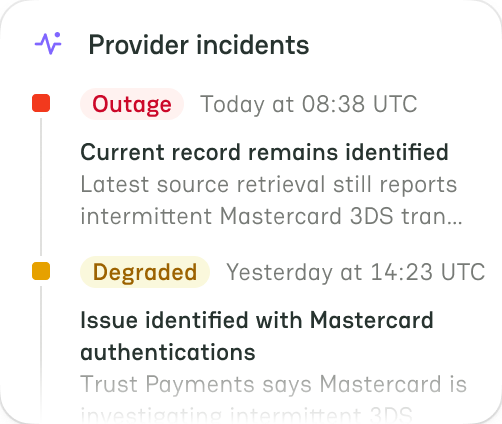
Firemap brings provider updates together

See published status and incident updates in one consistent view, with each source and update time shown.

How it works

From thousands of status updates to one normalized view.

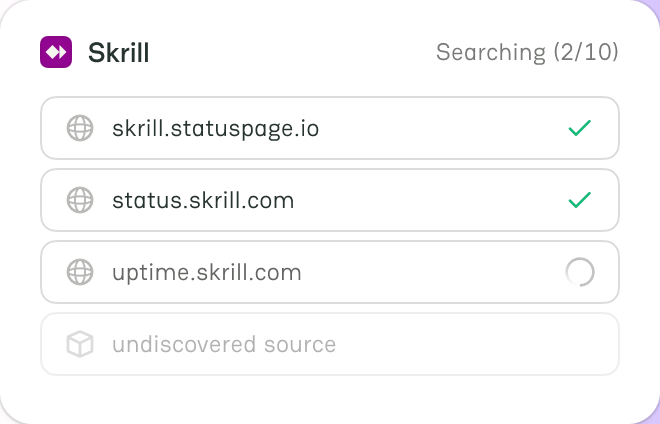
  1. Find public status sources

    Firemap finds publicly available status pages and feeds from payment providers.

    • Find official provider status sources.
    • Cover pages and feeds across providers.
    • Establish the basis for status tracking.
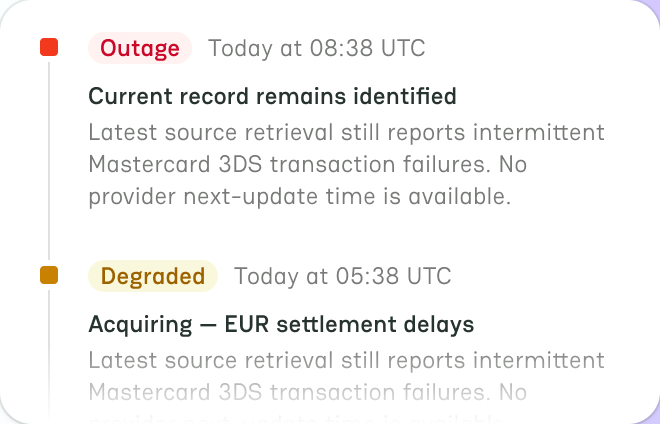
  2. Gather provider updates

    Firemap continuously collects status changes, incidents, and incident updates.

    • Capture incidents and their updates.
    • Detect newly published status changes.
    • Consolidate updates from multiple sources.
  3. Bring different formats together

    Firemap maps different provider formats into one consistent reusable data model.

    • Standardize provider-specific status formats.
    • Turn raw updates into structured data.
    • Make incidents easier to compare.
  4. Keep provider status current

    Firemap tracks changes over time and keeps status data up to date.

    • Track provider health over time.
    • Keep status information up to date.
    • Reveal disruptions across payment providers.
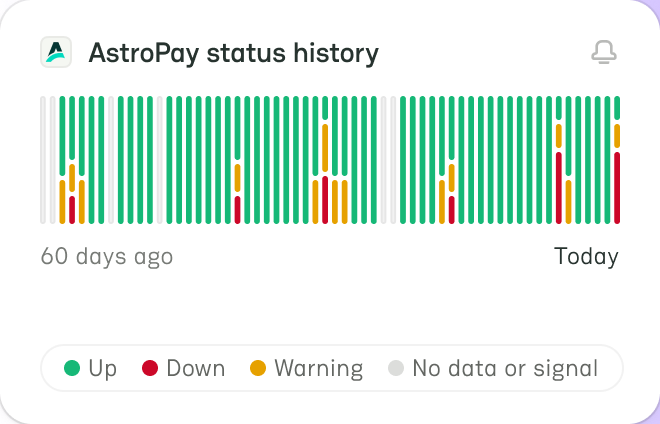
  • Connected to the source

    Every status and incident comes from the provider's own status page.

  • Review incident history

    Look back at a provider's past incidents and recurring patterns.

  • Reports from real customers

    Report your current incident or ask to add a missing provider.

  • Follow an incident

    See each update of an incident, from first notice to resolution.
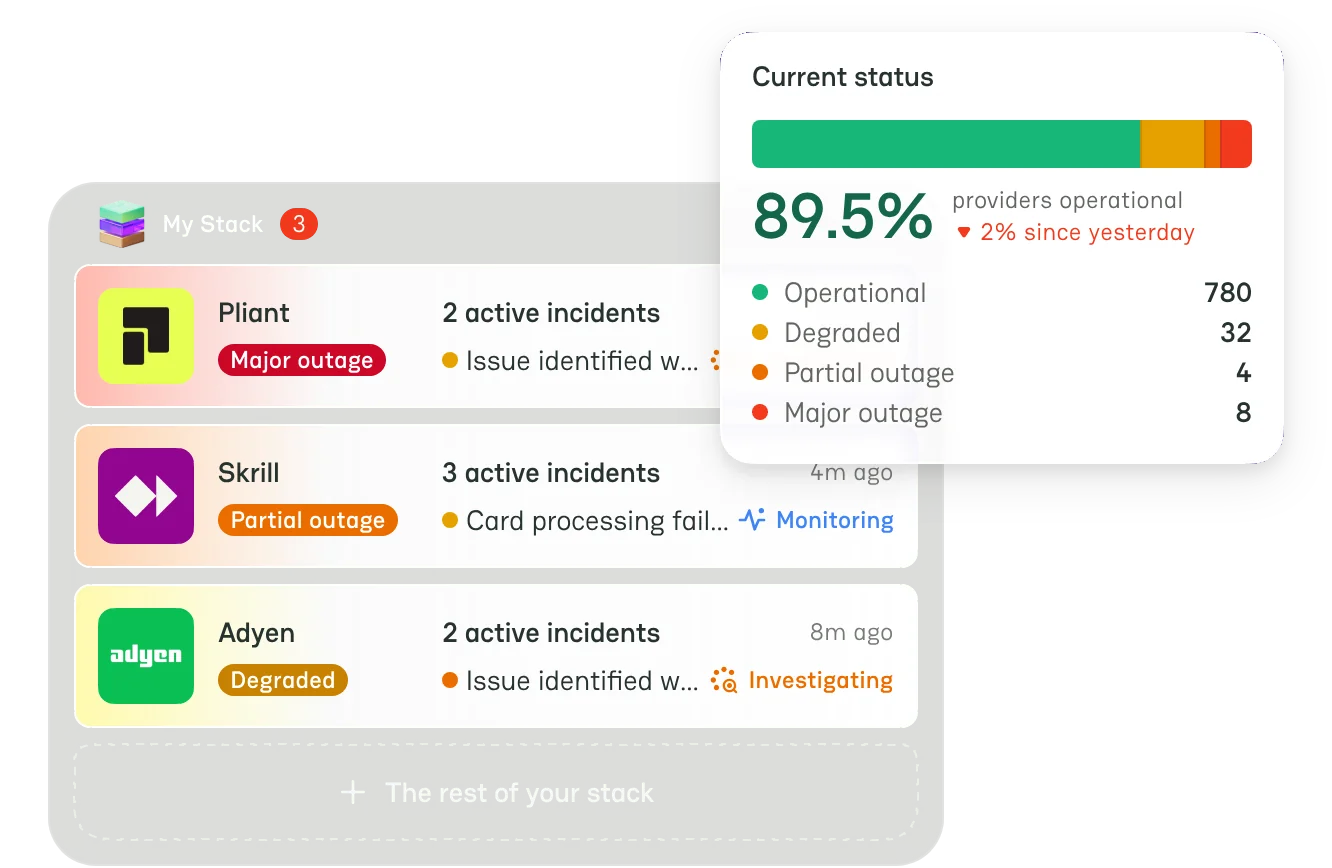
PayAtlas Stack

Monitor the providers your business actually depends on.

Build your Payment Stack by adding the PSPs, acquirers, processors, payment methods and other providers your business relies on.

  • Monitor your providers Track the status of the payment services your business relies on.
  • Stay on top of status changes Get notified when providers report incidents or change their status.
  • Spot payment disruptions Identify provider issues that could affect your payment operations.

Firemap FAQ

What is Firemap?

Firemap watches the public status pages of the payment providers listed on PayAtlas and brings what they report into one place.

It does not replace a provider status page — it reads it, so you can follow the whole ecosystem at once.

Where does the status data come from?

Every status and official incident comes from the provider's own status page or its feed, read automatically. Nothing is entered by hand, so a provider that has not reported a problem is shown as operational.

Community reports come from PayAtlas users. They appear in their own blocks and never change the official status of a provider.

What do Operational, Degraded, Partial outage and Major outage mean?

They are the four status levels Firemap uses, the same scale most status pages use. Operational means everything works normally. Degraded means the services work, but some are slower or return more errors than usual. Partial outage means some services, regions or payment methods are unavailable, while the rest still work. Major outage means a key service is unavailable for most customers.

The wording on each status page belongs to the provider; Firemap maps it onto these levels so that providers can be read side by side. When the provider publishes it, an incident also shows its stage: Investigating, Identified, Monitoring or Resolved.

What does the Incidents timeline show?

One column for each day: 90 days on a wide screen, 60 on a smaller one, and 30 on a narrow screen. Each column shows the official incidents that started that day by level, measured against the busiest day on screen: that day fills its whole column, and a quieter day fills it in proportion. The rest of the column is green, so a fully green column is a day without incidents.

A purple strip at the bottom marks a day with community reports. On a computer, hover a column to see how many providers were on each level that day, and click it to list the providers that had issues on that day.

Which providers are in the list, and in what order?

The list shows the providers with official incidents or community reports in the last 30 days, one card for each provider. Active lists the providers with an open incident that started in the last 30 days; Resolved lists the rest. Most affected puts first the providers with the most severe, longest and most recent incidents; on Resolved, you can also sort by when the incident was resolved, by duration, by impact or by the number of reports.

A level, a category or a day on the Incidents timeline narrows the list. Select a card to open a panel with the current status of the provider, its incidents and its community reports.

What does Payment Ecosystem Health show?

How many of the providers that Firemap tracks are on each status level right now, and the share of them that are operational. The share is rounded down, so a single provider in trouble keeps it below 100%. A provider whose status page Firemap has not read yet counts as operational.

What are community reports, and how do I send one?

A community report is a problem that a PayAtlas user saw with a provider. Recent community reports shows how many reports were published in the last 24 hours, 7 days and 30 days, and the latest ones; select a report to open the panel of its provider.

To send a report, use Report an incident, sign in, choose the provider and what you see, and describe the problem. The report appears at once.

How often is it updated?

Firemap checks each tracked status page every few minutes.

The provider list, Payment Ecosystem Health and the category numbers on this page follow within about 10 minutes, and the Incidents timeline within about an hour. A published community report appears in Recent community reports at once.

A provider is missing. Can it be added?

Yes. Request the provider and it joins the monitoring as soon as its status page is found.

Providers already listed on PayAtlas are picked up on their own once they publish a status page.

Company created
Your company has been added to PayAtlas.